
See What's Up Next
We're always adding new features! Stay up to date with what's coming next
Submit Your Idea!
Planned
Automation Workflows
Automation workflows allow you to streamline repetitive tasks by setting up triggers and actions within the CRM. Instead of manually handling routine processes, you can create automated sequences that run in the background, improving efficiency and consistency.
With this feature, you can set up workflows based on specific conditions. For example, when a new lead submits a form, you can automatically send a confirmation email, update their status, or trigger a follow-up message. You can also automate customer notifications, appointment reminders, or status updates to ensure timely communication without manual effort.
Each workflow consists of a trigger—an event that starts the process—and one or more actions that follow. You can customize these workflows to fit your business processes, reducing time spent on repetitive tasks and ensuring smoother operations.
Automation Workflows
Task Management
Task management allows you to create, track, and organize tasks within the CRM, helping you stay on top of important work without relying on external tools. You can create tasks for follow-ups, customer requests, or internal processes, ensuring that everything is documented and easy to manage.
Each task can include details such as a due date, priority level, and relevant notes to keep everything clear and actionable. You can filter tasks by status, category, or due date, making it easier to see what needs attention at a glance.
With built-in task tracking, you can ensure that important activities are completed on time, reducing missed follow-ups and improving overall efficiency. Whether you’re managing customer interactions or internal processes, task management helps keep everything organized in one place.
Task Management
Two-Way SMS
Two-way SMS allows you to send and receive text messages directly within the CRM, making customer interactions more efficient and organized. Instead of relying on separate messaging apps or email threads, you can manage all conversations from a centralized dashboard, keeping a clear record of every exchange.
With this feature, you can respond to customer inquiries in real time, send follow-ups, confirm appointments, and handle support requests without leaving the CRM. Incoming messages will appear in your conversation history, allowing you to reply instantly or set up automated responses for common questions.
Whether you’re providing customer support, collecting feedback, or following up on leads, two-way SMS helps streamline communication while keeping everything in one place.
Two-Way SMS
Up Next
New UI & UX
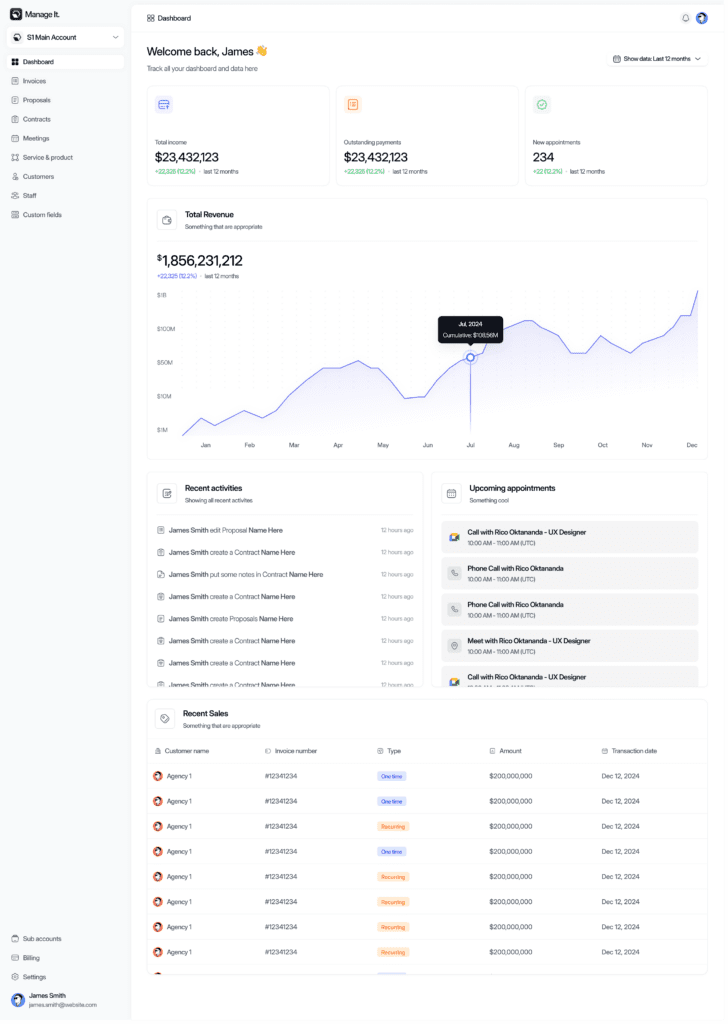
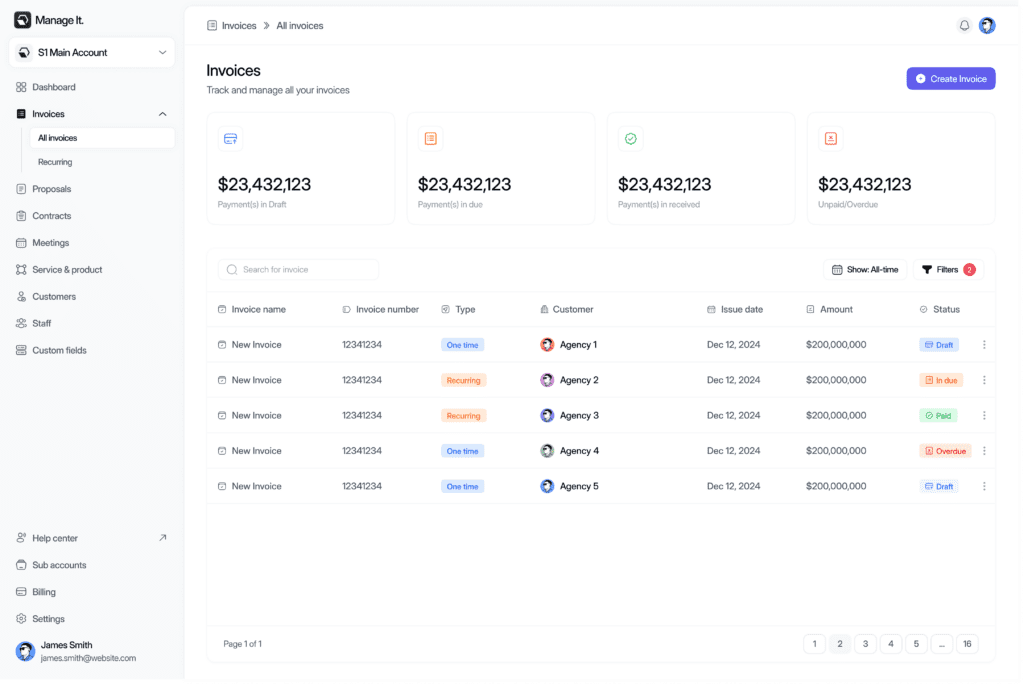
The CRM is getting an updated user interface and experience designed to improve usability, navigation, and overall efficiency. The new UI features a cleaner layout, better organization of key actions, and a more intuitive workflow to help you manage tasks with fewer clicks.
Navigation will be more streamlined, making it easier to access important sections like contacts, invoices, and automation workflows without unnecessary steps. Improved visual hierarchy and updated design elements will enhance readability and ensure that key information stands out.
The updated UX will also focus on reducing friction in common tasks, whether you’re creating invoices, managing customer interactions, or reviewing activity logs. These refinements aim to provide a more efficient and user-friendly experience while maintaining the core functionality you rely on.
New UI & UX
Autocharge Credit Card on Recurring Invoices
Auto-charging allows you to securely process credit card payments for recurring invoices without requiring manual approval each time. Once a customer saves their payment details, the system will automatically charge their card on the scheduled billing date, ensuring uninterrupted service and reducing the need for follow-ups on overdue payments.
You can enable auto-charging on recurring invoices, so payments are processed automatically based on the set billing cycle. If a payment fails, you’ll receive a notification, and the system can trigger a retry attempt or notify the customer to update their payment details.
This feature helps streamline billing, improve cash flow, and reduce administrative workload by minimizing manual invoicing and payment collection.
Autocharge Credit Card on Recurring Invoices
In Progress
Activity Log
The activity log provides a detailed record of actions taken within the CRM, allowing you to track when key events occur and who performed them. Every time an invoice, contract, or proposal is created, modified, or sent, the system records the action, ensuring full visibility into your business operations.
You can also see when a customer views an invoice, contract, or proposal, giving you insight into engagement and follow-up opportunities. This helps you track customer interest and ensure timely responses.
In addition to document tracking, a comprehensive activity log is available for each contact in the CRM. This log records all interactions, including emails sent, notes added, payments made, and any other updates related to the customer. By having a centralized history of activities, you can maintain transparency, improve accountability, and streamline communication within your team.